
The coding agent for your Mac.
Describe what you want in plain words. Claude Code, Codex and Antigravity build it on your Mac, with your files and your git, using the subscriptions you already pay for. Free forever on your Mac.
For Apple Silicon MacsGet the Intel version
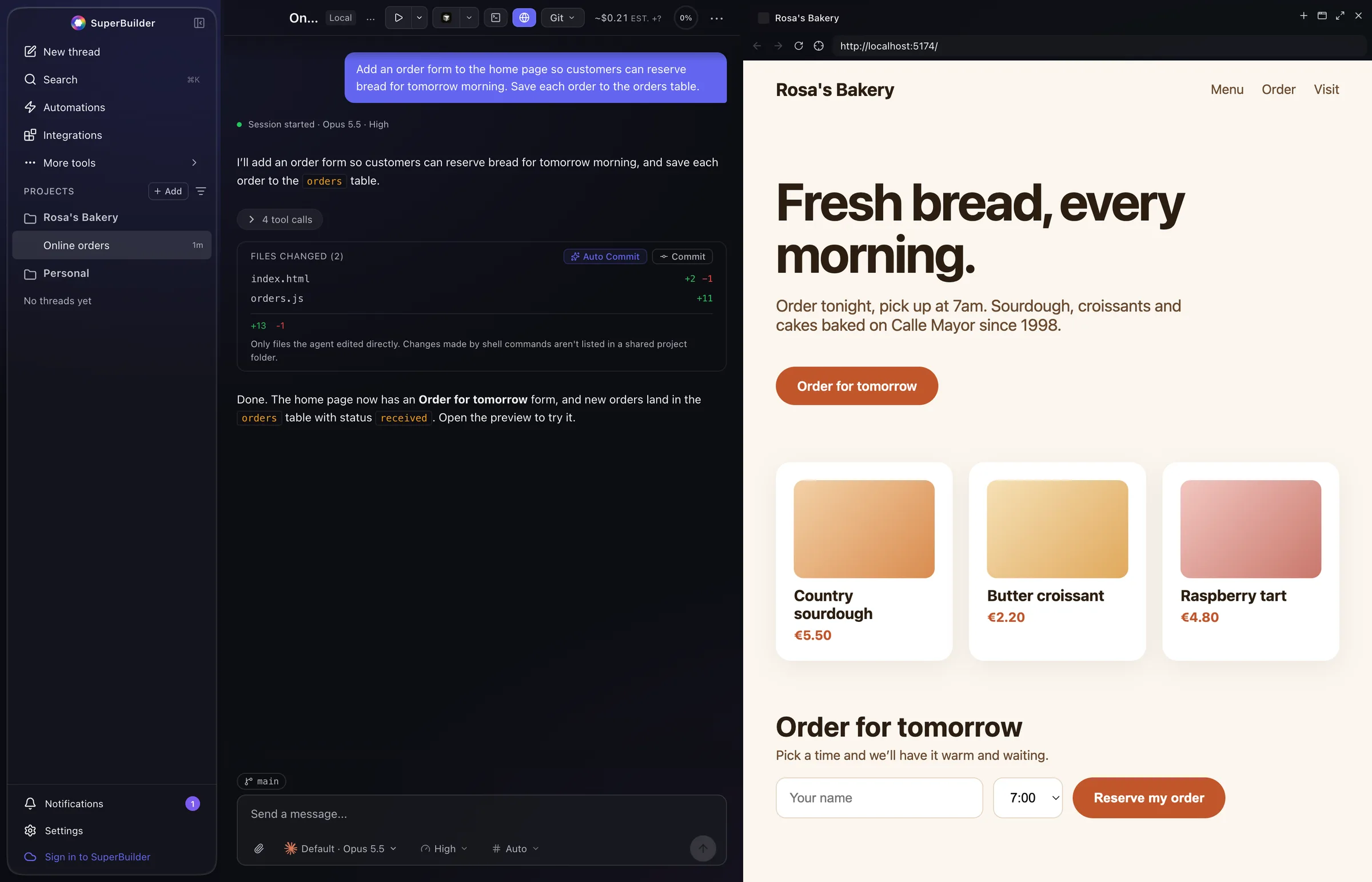
Real apps you can open, click and ship.
If you have never written code
Tell it about the booking page for your studio or the tracker your team keeps in a spreadsheet. It builds the app, opens it next to the chat and tells you what it changed in plain words. You click through the real thing, ask for what is missing and keep going.
If you write code every day
It works in your own repo, with your git and a real terminal. Run several agents on separate branches, have another agent review the work, and read every diff before it lands. Threads run on your Mac unless you choose to send one to the cloud.
Built on the agents you already trust.
- Claude Code
- Codex
- Antigravity
SuperBuilder runs Claude Code, Codex and Antigravity for you. Sign in with the Claude, ChatGPT or Google account you already pay for: no API keys to manage and nothing added to what you pay them.
Connect more than one account, and when one reaches its limit the work moves to the next.
Free forever on your Mac. Running agents on your own computer costs nothing extra. You only pay if you want SuperBuilder Cloud.
Everything around the agent, in one app.
A coding agent writes the code. The Mac app gives you what you need around it to see, check and run what it built.
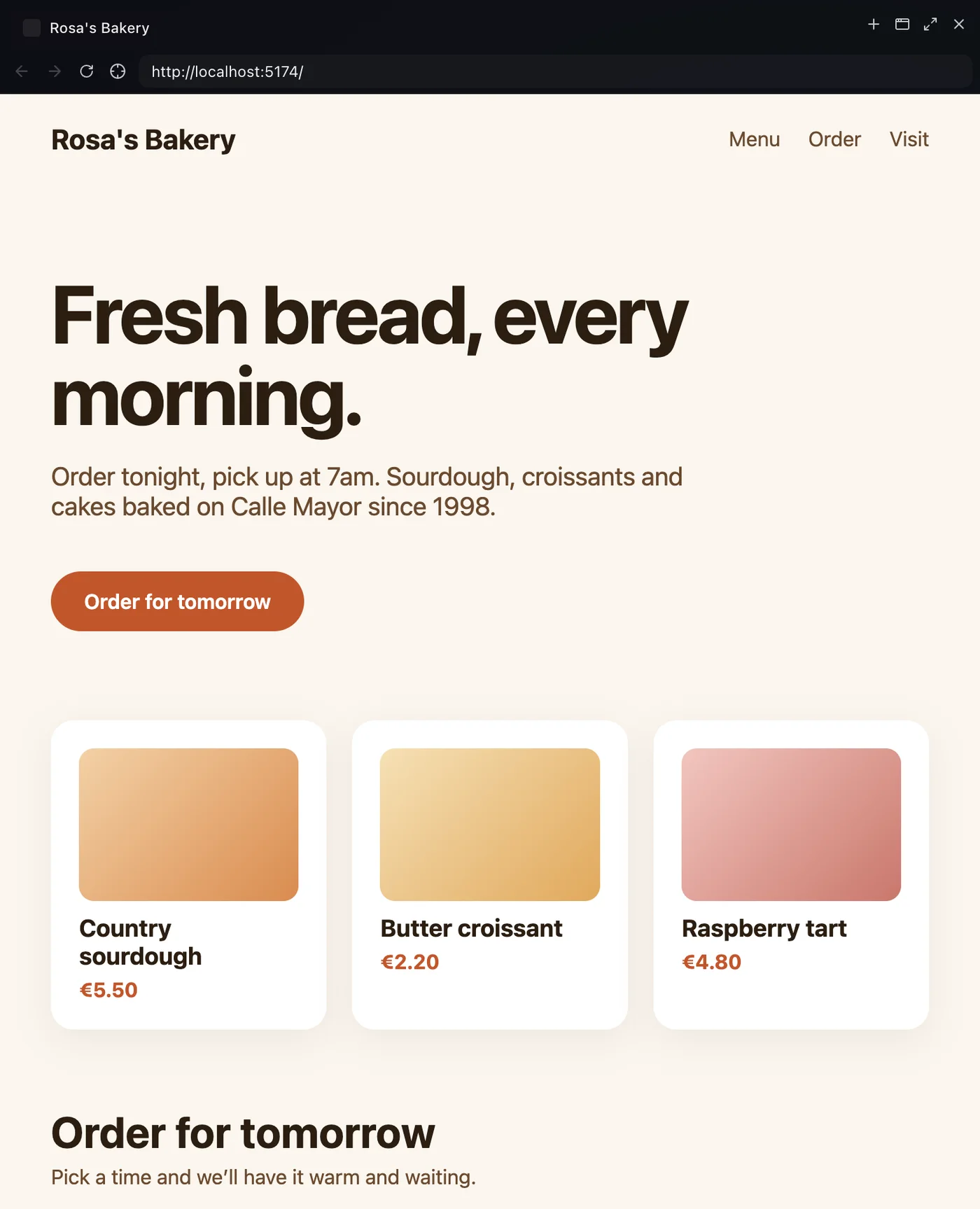
See your app while it’s being built.
A browser sits next to the chat. It finds the servers running on your Mac and opens your app in one click, so you test the real thing instead of reading about it.
The agent can use the same browser to click through your app and check its own work.
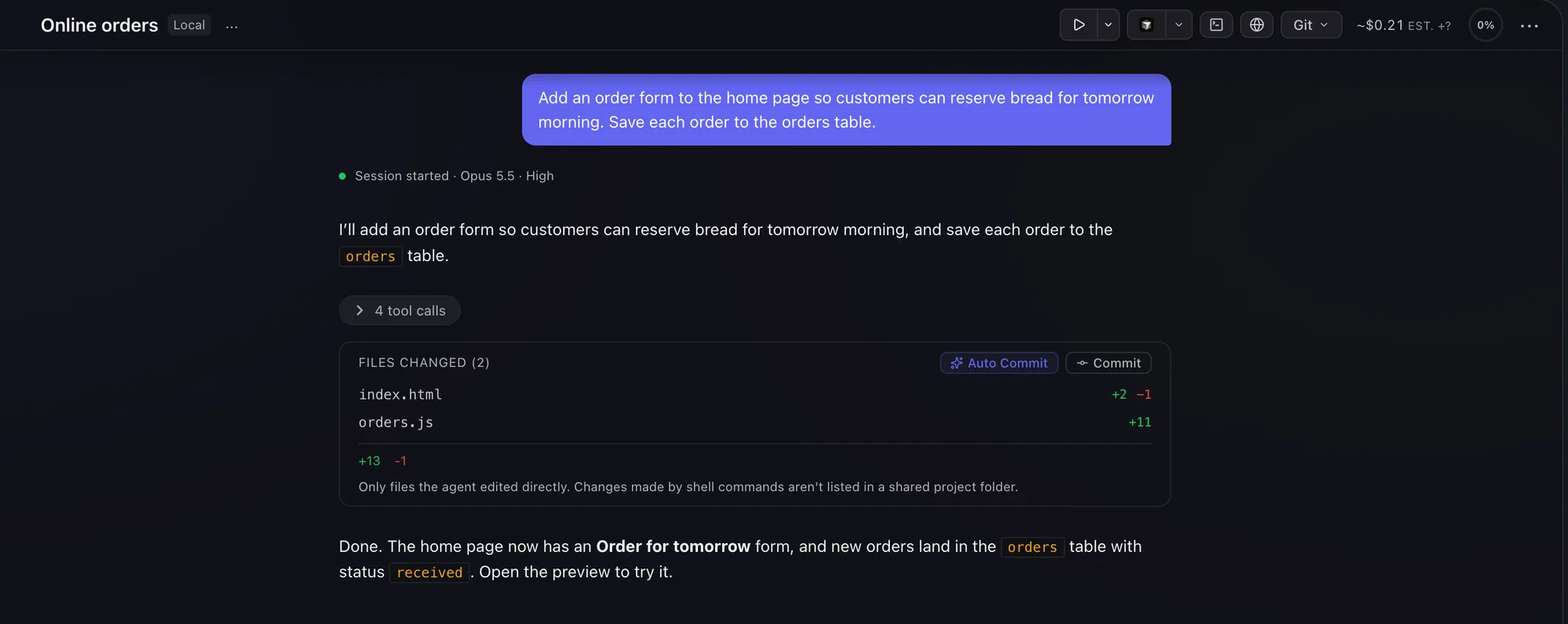
Know exactly what changed.
After every turn you get the files the agent edited, with the lines it added and removed. Open the diff, commit it yourself, or let Auto Commit group the changes into clean commits.
The top of each thread shows what it has cost so far.
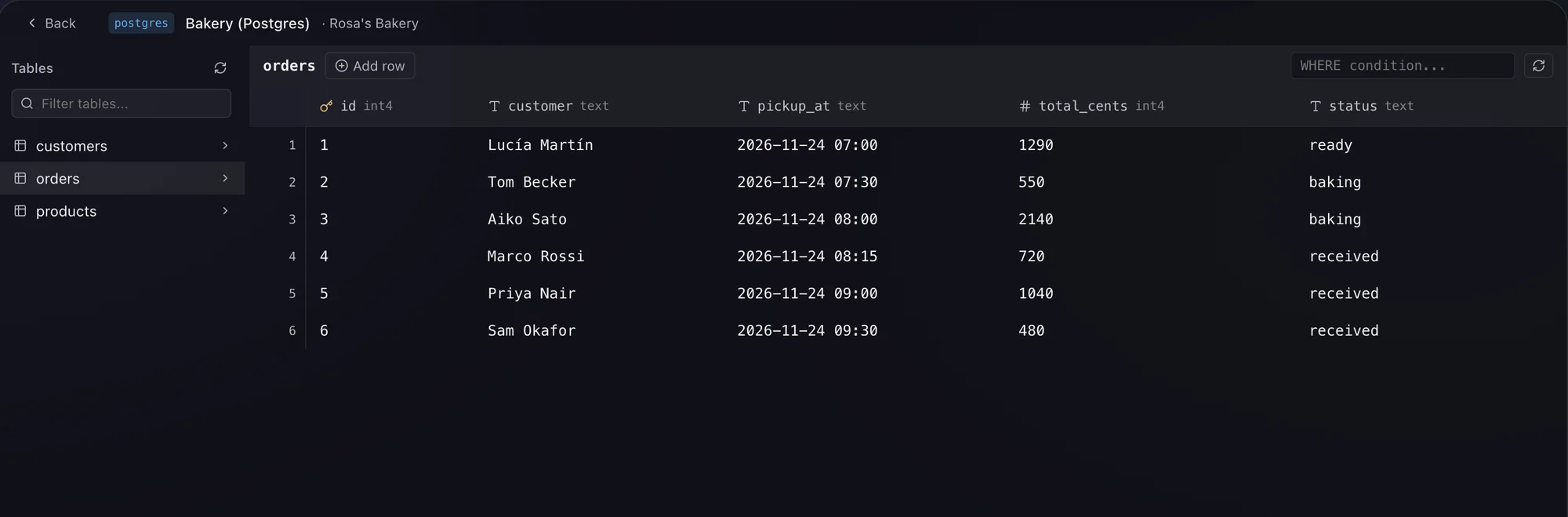
Look inside your data.
Connect Postgres (Supabase, Neon, Railway, Render, Vercel or your own server), Redis or Tinybird, or let SuperBuilder find the connection in your project’s .env.
Browse and edit rows, run SQL, or ask a question about your data in plain words.
Let it work while you sleep.
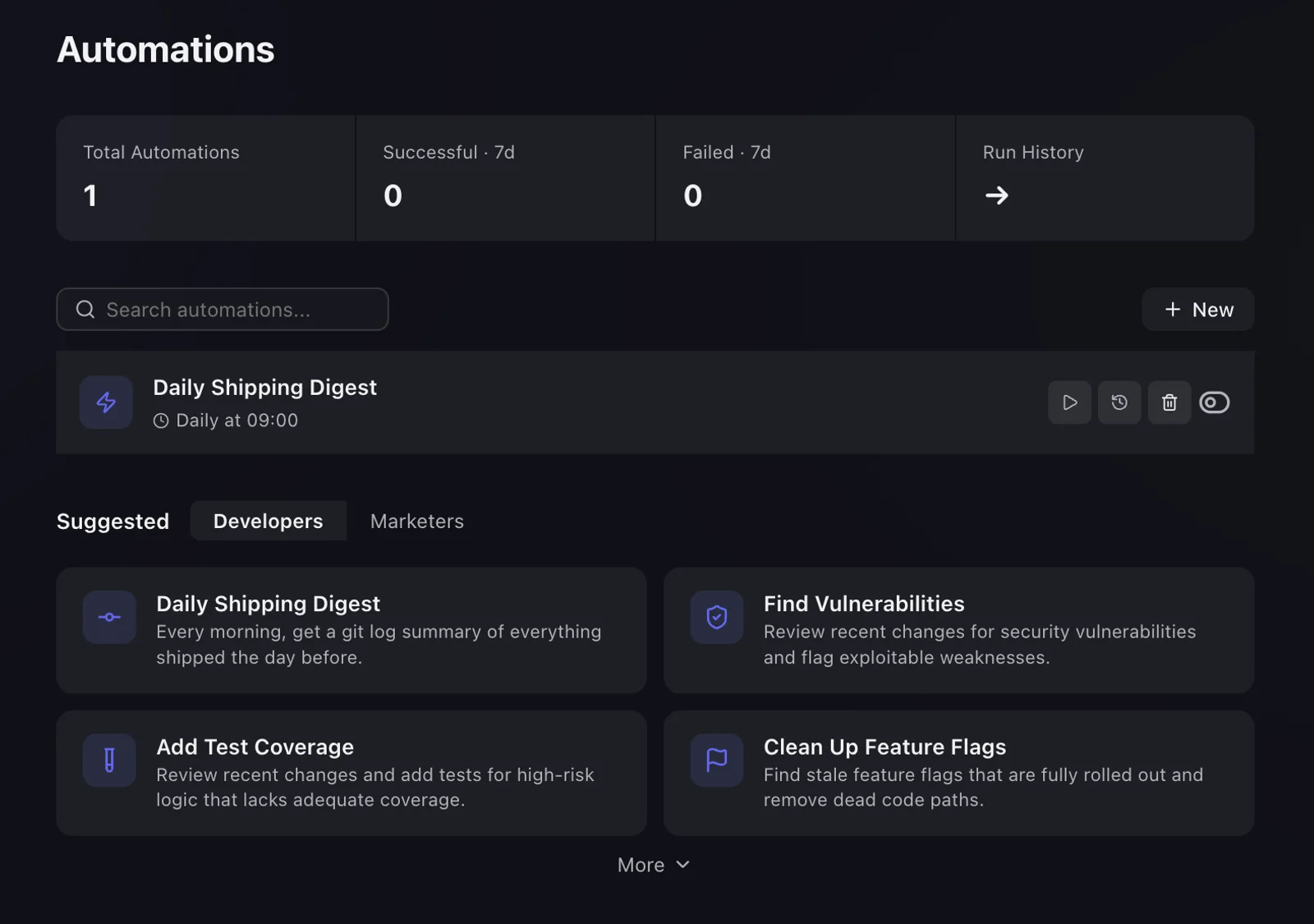
Run an agent on a schedule, from a webhook or by hand. Start from a template such as a daily shipping digest, a security review or dependency updates, and read every run in its history.
You can also schedule a single thread to start at a set time.
Built for work that takes more than one prompt.
- 01
An orchestrator with parallel agents
Turn on “Orchestrate this work” and one agent plans the job, splits it into tasks and runs them in parallel, each on its own git branch. Reviewers check every piece before it counts as done, and you can pick a different model for a second opinion.
- 02
Hand off to the cloud
Send a thread to SuperBuilder Cloud and close the lid. It keeps running, and the result is waiting in the same thread. Cloud runs are part of the Pro plan.
- 03
Your other Mac and your phone
Move a thread to another of your Macs and it runs there. Follow it and reply from the web on your phone, and get a Telegram message when it needs you.
- 04
Cost and usage, always visible
See what each thread and project cost, and how much of each subscription you have left before it resets. Give an orchestrated run a budget and it stops there.
Start with your idea.
For Apple Silicon MacsGet the Intel version
On Windows?Join the waitlist