Local-First AI: Why Your Coding Agent Should Run on Your Machine
Every time you paste code into a cloud-hosted AI coding agent, you are making a trust decision. You are trusting that the provider will not train on your proprietary code, that their servers will not be breached, that a rogue employee will not access your sessions, and that compliance officers at your company will never audit where your source code has traveled.
For a growing number of developers and engineering teams, that trust equation no longer adds up. The rise of local-first AI coding represents a fundamental shift in how we think about AI-assisted development: instead of sending your code to the cloud, you bring the AI to your code.
This article explores why local-first architecture matters for AI coding agents, how it compares to cloud-first alternatives, and how tools like SuperBuilder are making it practical for individual developers and teams alike.
The Privacy Problem with Cloud-Based AI Coding Agents
Cloud-based AI coding tools have become remarkably capable. Services like GitHub Copilot, Cursor, Devin, and OpenAI Codex can write functions, debug errors, refactor modules, and even orchestrate multi-file changes across entire repositories. But their power comes with a structural trade-off: your code must leave your machine.
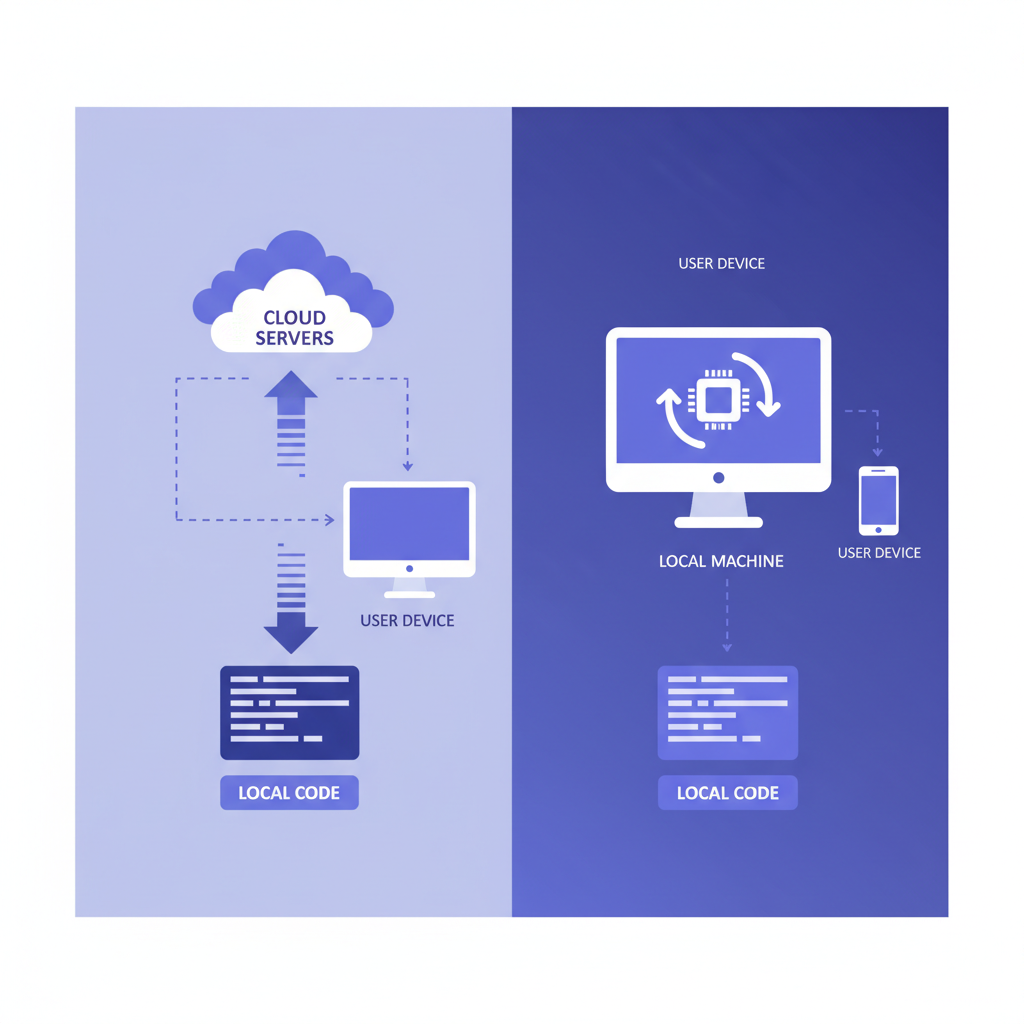
When you use a cloud-first coding agent, a typical request follows this path:
- Your local editor or agent collects context — the current file, surrounding files, your project structure, sometimes your entire repository.
- That context is transmitted over HTTPS to the provider's servers.
- The provider's infrastructure processes your request, often routing through multiple internal services.
- The response is sent back to your machine.
At every step, your source code exists on infrastructure you do not control. Even with encryption in transit and at rest, the operational reality is that your intellectual property is now distributed across someone else's data centers.
What gets sent to the cloud
Most developers underestimate how much context cloud AI tools transmit. Modern coding agents do not just send the line you are working on. To produce high-quality suggestions, they send:
- The current file in its entirety
- Related files that provide type definitions, imports, or architectural context
- Project metadata including directory structure, configuration files, and dependency manifests
- Conversation history from the current session, which may include discussions about proprietary business logic
- Error logs and stack traces that can reveal internal system architecture
This is not hypothetical. It is how these tools work by design. The more context the model receives, the better the output — which creates an inherent tension between capability and privacy.
The compliance minefield
For teams operating under regulatory frameworks, cloud-based AI coding agents introduce significant compliance challenges.
SOC 2 and ISO 27001 require organizations to maintain control over where sensitive data is processed and stored. When code containing customer data schemas, encryption implementations, or authentication logic is sent to a third-party AI service, it may violate data processing agreements.
HIPAA applies when code handles protected health information. Even if the code itself does not contain patient data, the schemas, API contracts, and business logic around PHI processing can constitute regulated information.
GDPR and data residency laws require that certain data remain within specific geographic boundaries. Many cloud AI providers process requests in US-based data centers, which can create legal exposure for European organizations.
Financial regulations like PCI DSS and SOX impose strict requirements on how systems handling financial data are developed and what third parties have access to source code.
The legal landscape is still catching up to the reality of AI-assisted development. But the trajectory is clear: organizations that cannot demonstrate control over where their source code is processed will face increasing scrutiny.

What "Local-First" Actually Means for AI Coding
Local-first AI coding is not just "running things locally." It is an architectural philosophy with specific properties:
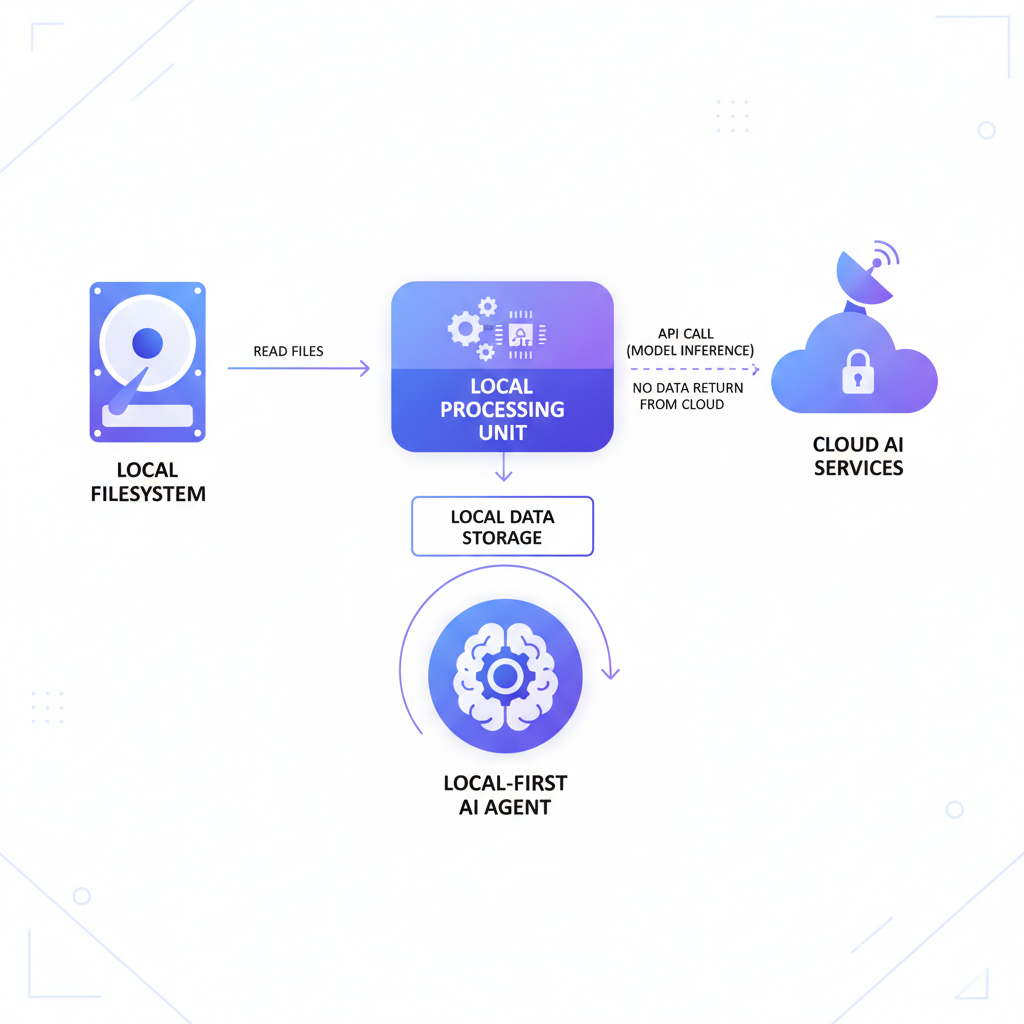
Your code never leaves your machine. The AI agent runs as a native process on your computer. When it needs to read files, analyze your project structure, or execute commands, it does so through local system calls — not network requests to a remote server.
Your data is stored locally. Conversation history, project metadata, thread state, and any cached context live in a local database on your filesystem. There is no cloud sync, no remote telemetry, no usage analytics phone-home.
The AI model is accessed, not hosted. In most practical local-first setups, the LLM inference still happens remotely (running frontier models locally requires hardware most developers do not have). But the critical distinction is that the agent — the system that reads your files, maintains context, executes commands, and manages state — runs entirely on your machine. Your API key talks directly to the model provider; no intermediary service touches your code.
You maintain full control. You can inspect every file the agent reads, every command it executes, every byte that leaves your machine. The agent's behavior is transparent and auditable.
This distinction matters because the agent layer is where the most sensitive operations happen. The agent is what reads your entire codebase, understands your project structure, and decides what context to include. Keeping that layer local is the most impactful architectural decision for privacy.
Cloud-First vs. Local-First: An Honest Comparison
Neither architecture is universally superior. The right choice depends on your priorities, your team's constraints, and the sensitivity of your codebase.
Cloud-first agents (Devin, Codex, Replit Agent)
Strengths:
- Zero local setup — sign in and start coding
- Powerful cloud compute for resource-intensive tasks
- Collaborative features built on shared infrastructure
- The provider handles scaling, updates, and infrastructure
Weaknesses:
- Code transmitted to and processed on third-party servers
- Dependent on internet connectivity for all operations
- Vendor lock-in to proprietary platforms
- Limited transparency into how your data is used
- Latency for every interaction (network round-trip)
- Pricing models that scale with usage, sometimes unpredictably
Local-first agents (Claude Code CLI, Aider, SuperBuilder)
Strengths:
- Code never leaves your machine
- Works offline (after initial model API access)
- Full transparency — you can inspect everything
- No vendor lock-in; switch models or providers freely
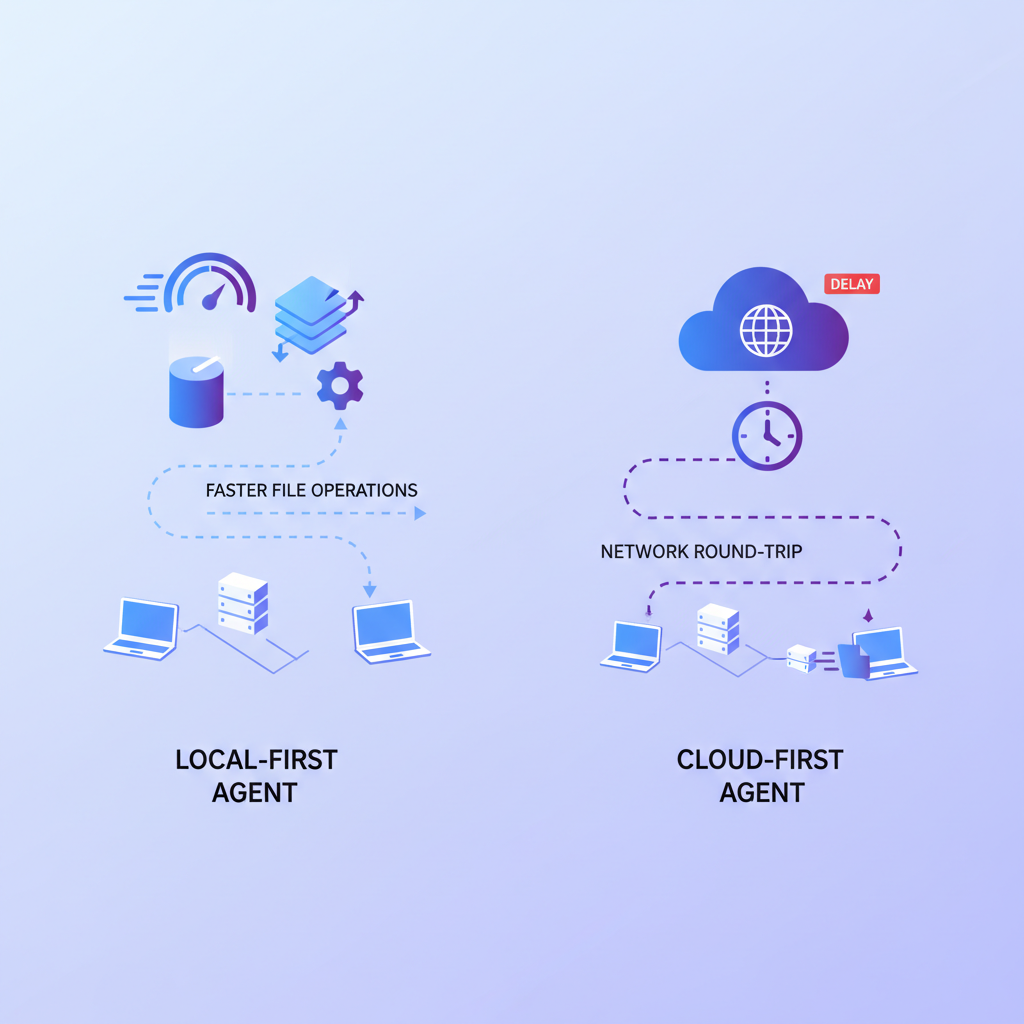
- Lower latency for file operations and context gathering
- Predictable costs (just API usage)
- Compliance-friendly by default
Weaknesses:
- Requires local setup and configuration
- Depends on your machine's resources for agent operations
- LLM inference still requires network access to model providers
- Collaboration features require more intentional design
For individual developers working on side projects, the choice may come down to convenience. But for anyone working on proprietary code, handling regulated data, or building at a company with security requirements, the local-first approach eliminates entire categories of risk.
The latency advantage most people overlook
When a cloud-first agent needs to read a file from your project, the request must travel from your machine to the cloud, the cloud must request the file back from your machine (or from a synced copy), and then process it. This round-trip adds latency to every operation.
A local-first agent reads files directly from your filesystem. Directory traversal, file reading, grep operations, and code analysis all happen at native speed. The only network latency is the LLM inference call itself — and that latency is identical whether you are using a cloud-first or local-first agent, because both ultimately talk to the same model providers.
In practice, this means local-first agents feel noticeably faster for operations that involve heavy file I/O: large refactors, codebase-wide searches, multi-file edits, and project analysis tasks.
How SuperBuilder Implements Local-First AI Coding
SuperBuilder is a free, open-source desktop application built specifically around the local-first principle. Every architectural decision is made to ensure your code stays on your machine while giving you a powerful AI coding agent experience.
The architecture
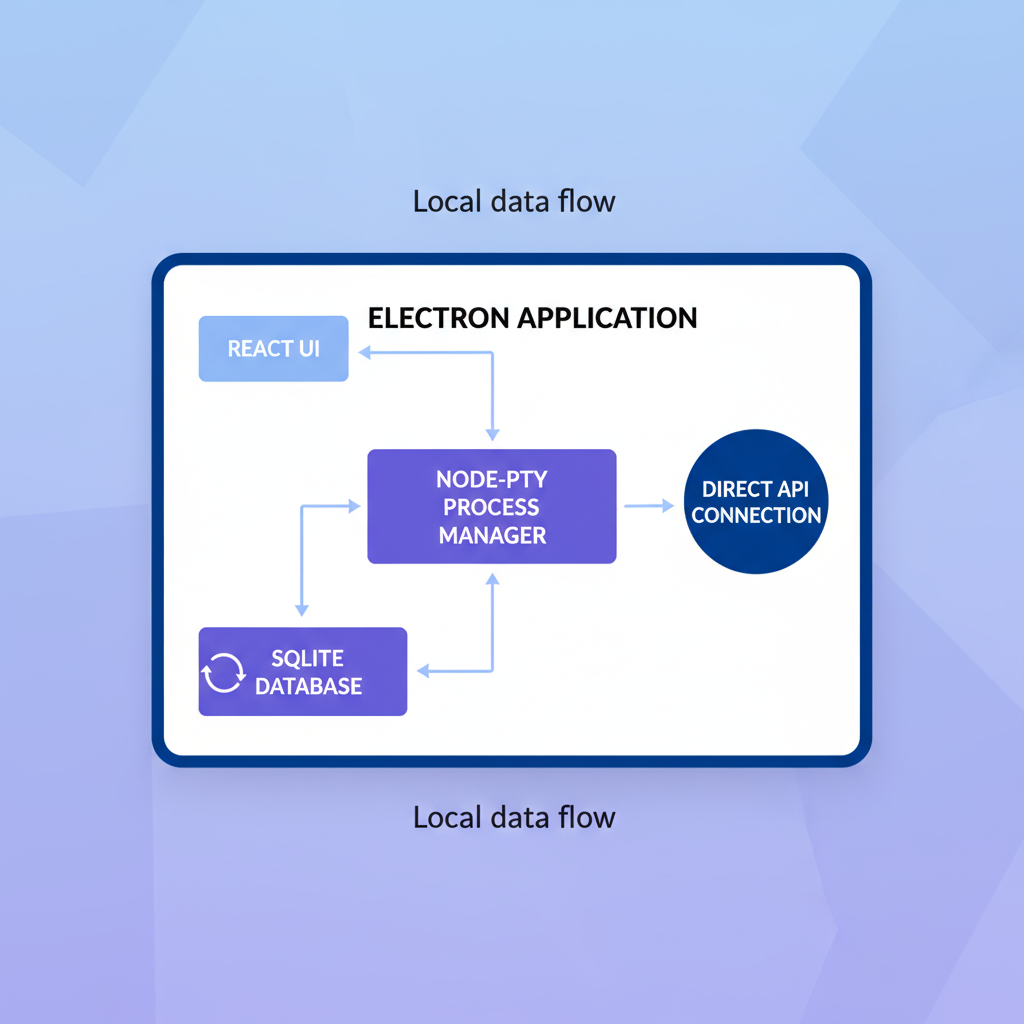
SuperBuilder is an Electron application built with React and TypeScript. Here is how the key components work together:
Node-PTY for process management. SuperBuilder spawns AI coding sessions using node-pty, a native pseudoterminal implementation. This means the AI agent runs as a real process on your machine, with the same filesystem access and permissions as any terminal application. There is no intermediary server between you and the AI.
SQLite for local storage. All conversation history, thread state, project metadata, and configuration are stored in a local SQLite database on your filesystem. You can inspect it, back it up, or delete it at any time. There is no cloud database, no remote sync, and no data that exists anywhere other than your machine.
No telemetry, no analytics. SuperBuilder does not phone home. There are no usage analytics, no crash reporting services, no event tracking. The application communicates only with the model provider API (using your own API key) and nothing else.
Direct API key usage. You provide your own API key for the model provider. Your requests go directly from your machine to the model's API endpoint. SuperBuilder never proxies, intercepts, or stores your API communications.
What this means in practice
When you start a coding session in SuperBuilder:
- The application reads your project files directly from your local filesystem
- Context is assembled locally in memory
- Your prompt and context are sent directly to the model provider using your API key
- The response streams back to your machine
- Any file modifications happen directly on your local filesystem
- The conversation is stored in your local SQLite database
At no point does your code pass through SuperBuilder's servers — because there are no SuperBuilder servers. The application is entirely self-contained.
Open source as a trust mechanism
SuperBuilder is fully open source. This is not a marketing decision — it is a privacy decision. When we say your code never leaves your machine, you do not have to take our word for it. You can:
- Read the source code and verify every network call
- Audit the SQLite schema to see exactly what is stored
- Monitor network traffic to confirm no unexpected connections
- Build from source if you prefer not to trust pre-built binaries
Open source is the only credible way to make privacy claims in software. Any closed-source tool that promises "your data stays private" is asking you to trust their word. Open source lets you trust the code.
IP Protection: Why It Matters More Than You Think
Intellectual property protection is often discussed in abstract terms, but for software companies, the codebase is the product. Consider what your repository contains:
- Proprietary algorithms that represent months or years of R&D
- Business logic that encodes your competitive advantage
- Architecture decisions that reveal your technical strategy
- Security implementations including authentication flows, encryption schemes, and access control logic
- Infrastructure configuration that maps your deployment topology
When this code is processed by a cloud AI service, you are trusting that:
- The provider's employees cannot access your sessions
- The code is not used for model training (now or in the future)
- The provider's infrastructure will not be breached
- Subpoenas or legal requests in the provider's jurisdiction will not expose your code
- The provider's data retention policies align with your requirements
Each of these is a real risk vector. Data breaches at major technology companies happen regularly. Terms of service change. Jurisdictions have different legal frameworks for compelled disclosure.
Local-first architecture eliminates all five of these concerns simultaneously. If your code never leaves your machine, none of these attack vectors exist.
The "But I Need the Cloud" Objection
The most common pushback against local-first AI coding is practical: "I need cloud infrastructure for X." Let us address the most frequent versions of this objection.
"I need the model to run somewhere." Correct. Local-first does not mean the LLM runs locally (though that is increasingly possible with smaller models). It means the agent runs locally. The model inference is a stateless API call that sends your prompt and receives a response. This is a fundamentally different trust model than sending your code to a persistent cloud service that maintains state, stores conversations, and processes your project.
"I need collaboration features." Local-first does not mean isolated. Git already provides a robust collaboration model. Local-first agents work with your existing version control workflow. The AI helps you write code locally; you share that code through your normal git process.
"Cloud agents can do things my machine cannot." Cloud agents can provision cloud compute for tasks like running test suites in parallel or building container images. But for the vast majority of AI coding tasks — writing code, debugging, refactoring, explaining code, generating tests — your local machine is more than sufficient. And the tasks that genuinely require cloud compute can be handled by your existing CI/CD pipeline.
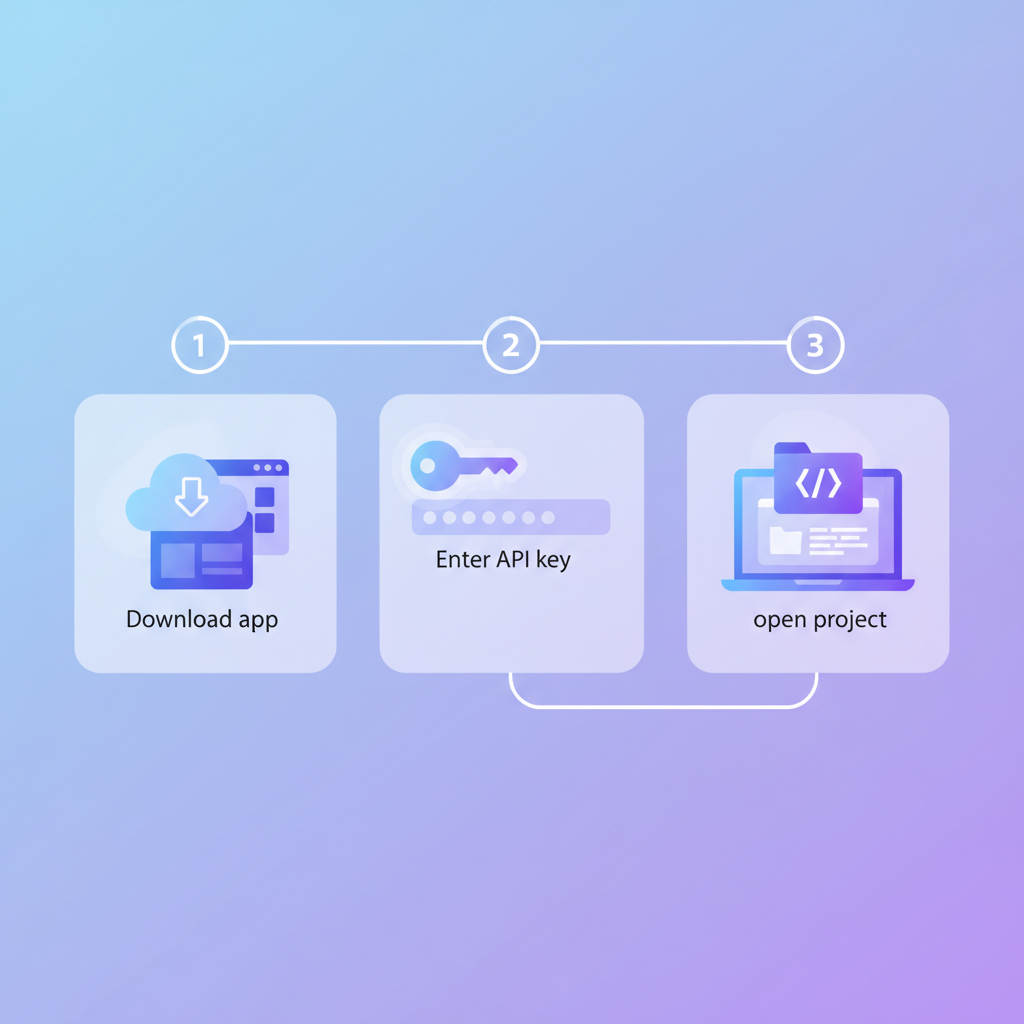
"Setting up local tools is harder." This was true two years ago. Today, tools like SuperBuilder are designed to be installed and running in minutes. Download the app, provide your API key, open your project. The setup experience is comparable to any desktop application.
The Emerging Local-First Ecosystem
SuperBuilder is part of a growing ecosystem of local-first AI coding tools, each with a different approach:
Claude Code CLI is Anthropic's official command-line tool for AI-assisted coding. It runs entirely in your terminal, reading files and executing commands locally. It is powerful but requires comfort with command-line interfaces.
Aider is an open-source AI pair programming tool that runs in your terminal. It integrates with git and supports multiple model providers. Like Claude Code, it is local-first but terminal-only.
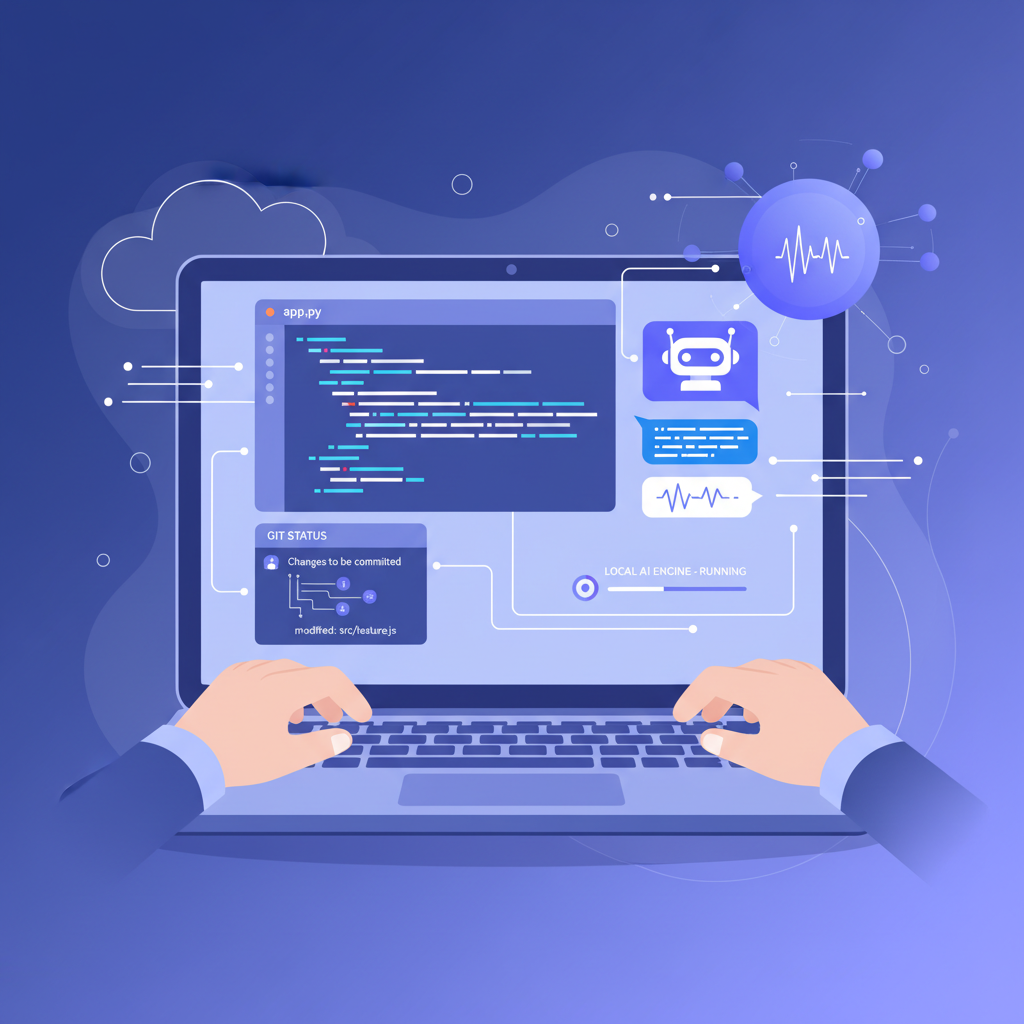
SuperBuilder provides a desktop application experience on top of local-first architecture. It adds a graphical interface, conversation management, project organization, and visual features while maintaining the same privacy properties as terminal-based tools.
What these tools share is a commitment to keeping the agent layer local. They differ in user experience, feature sets, and target audiences — but the architectural principle is the same.
This ecosystem is growing because the demand is real. Developers and teams want AI coding assistance without the privacy trade-offs of cloud-first platforms. As frontier models become more capable and API access becomes more affordable, the case for local-first only gets stronger.
Making the Switch: Practical Considerations
If you are considering moving to a local-first AI coding agent, here are the practical factors to evaluate:
API key management. You will need an API key from a model provider (Anthropic, OpenAI, etc.). This is typically straightforward to obtain and gives you direct control over your usage and costs.
Cost model. Instead of a monthly subscription to a cloud agent, you pay per API call. For most developers, this is significantly cheaper. You pay only for what you use, and you can monitor costs directly through your provider's dashboard.
Machine requirements. The agent itself is lightweight — SuperBuilder runs comfortably on any modern laptop. The only resource consideration is that your machine needs enough RAM and disk to handle your project, which it already does since you are developing on it.
Team adoption. For teams, local-first tools integrate naturally with existing workflows. Each developer runs the agent on their machine, uses their own API key (or a team key), and shares code through git as usual. There is no shared infrastructure to manage.
Security review. One of the biggest advantages of local-first, open-source tools is the security review process. Your security team can audit the source code, verify the network behavior, and approve the tool with confidence — something that is difficult or impossible with closed-source cloud services.
The Future Is Local
The trend toward local-first AI coding is not a reaction against cloud computing. It is a recognition that the agent layer — the system that reads your code, understands your project, and executes changes — is too sensitive to run on someone else's infrastructure.
Cloud infrastructure has its place. We use cloud services for deployment, CI/CD, monitoring, and collaboration. But the tool that has direct access to your source code, your business logic, and your intellectual property should run on your machine, under your control, with full transparency into its behavior.
This is not a radical position. It is the same principle that led developers to use local IDEs instead of cloud editors, local git instead of centralized version control, and local development environments instead of remote development machines. The most sensitive parts of the development workflow belong on the developer's machine.
SuperBuilder is built on this principle. It is free, open source, and designed to give you a powerful AI coding agent without asking you to trust anyone but yourself. Your code stays on your machine. Your conversations stay in your local database. Your API key talks directly to the model provider.
That is what local-first means, and it is what every developer deserves.
Ready to try local-first AI coding? Download SuperBuilder — free and open source. Your code never leaves your machine.
